
Decklists
Guide about how POKÉ LOCALS work with decklists.
Enable decklist submission
Decklist submission is disabled for new tournaments by default. If organizer wants to allow players submitting decklists via POKÉ LOCALS, they need to enable it.
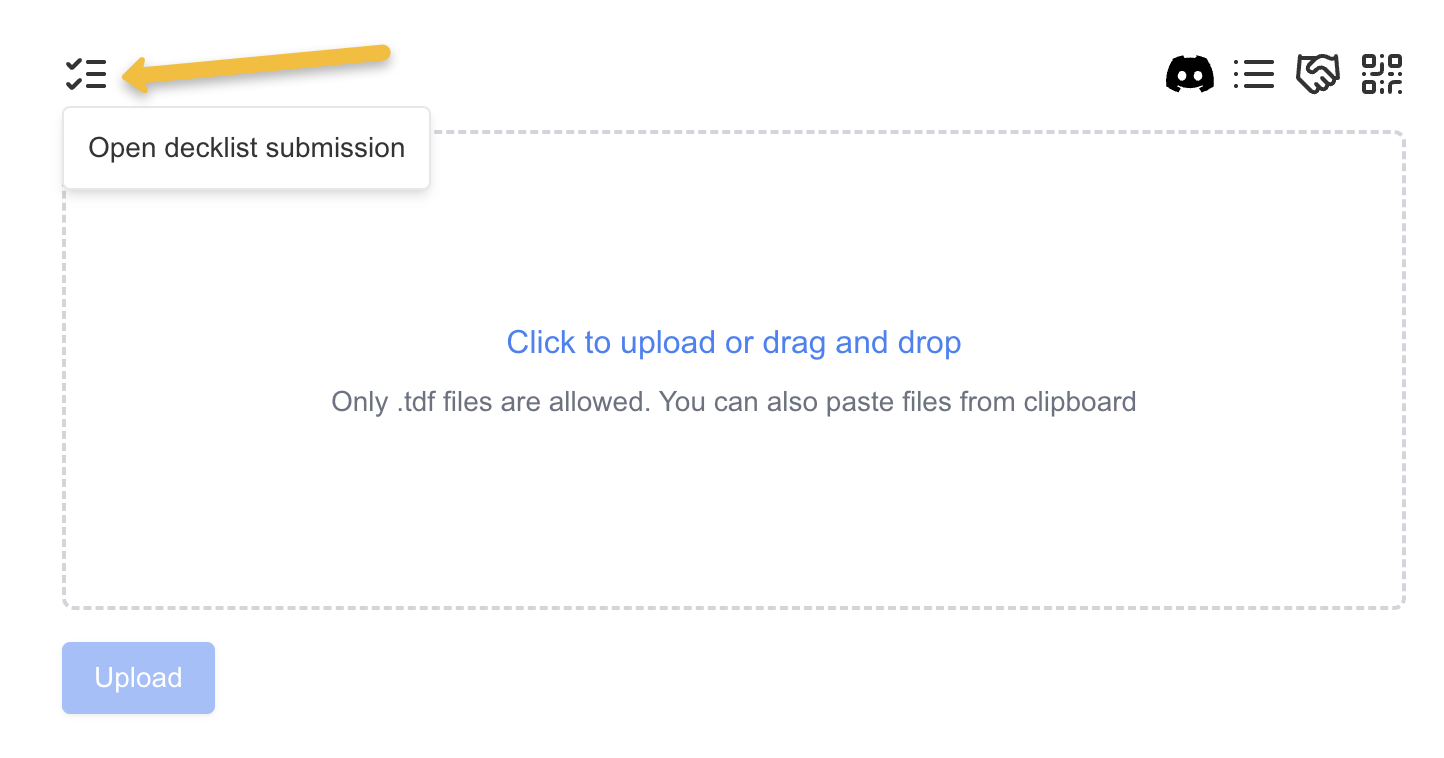
To enable decklist submission for a tournament, go to Admin page of the tournament, click list icon and Open decklist submission.
Decklist submission
Players can submit a decklist for the tournament in the tournament detail page (same page where pairings and roster are).
See decklist submission page for details.
NOTE: Decklist can't be submitted to a New tournament. A TDF file has to be uploaded to open decklist submission for players.
NOTE 2: Decklist submission automatically closes after uploading TDF with tournament pairings.
Deckcheck
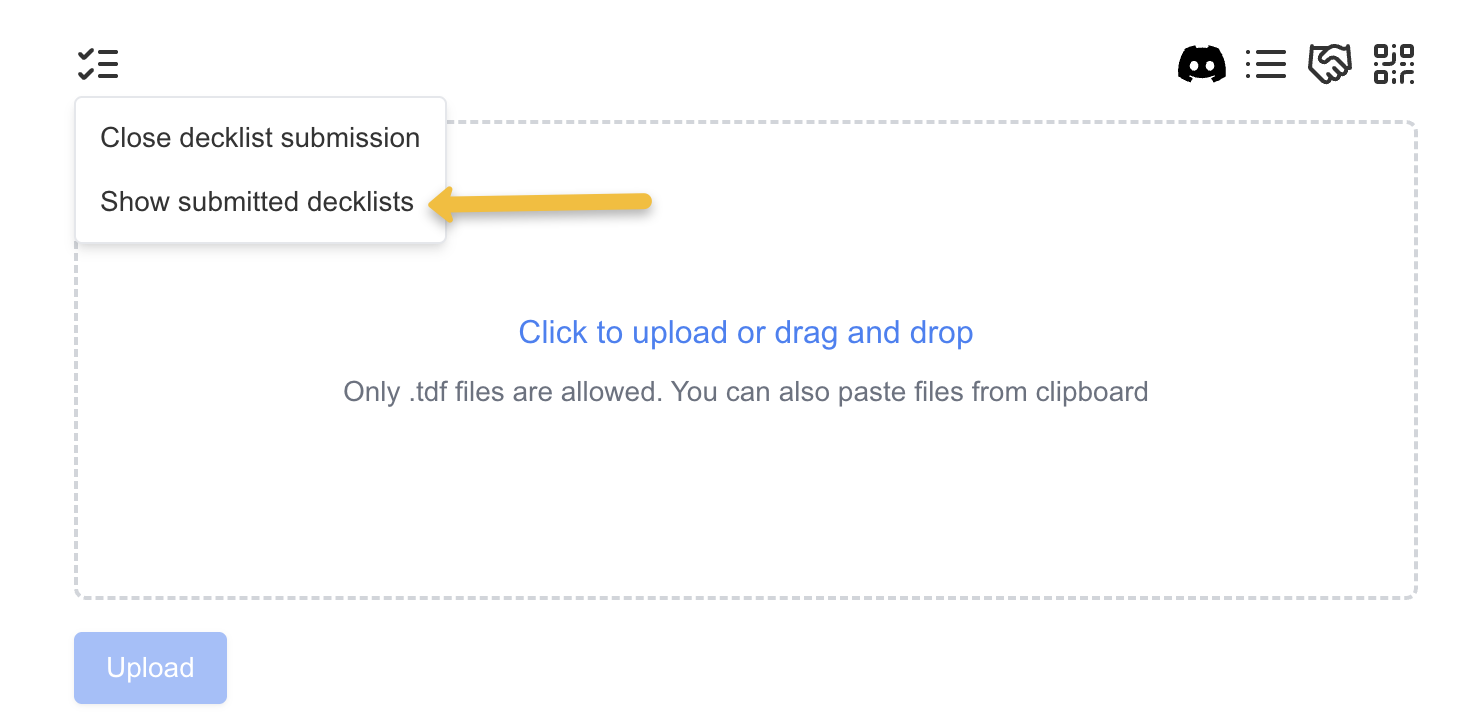
Organizer can find all submitted decklists in decklists page. To navigate there click Show submitted decklists in Decklists menu.
To see player's decklist find it in the decklist select on top of the page.

After selecting a player their decklist will be displayed. On the left side there is text representation of the deck as it was submitted. (This is the only supported format) On the right side there is a visual representation of the decklist.
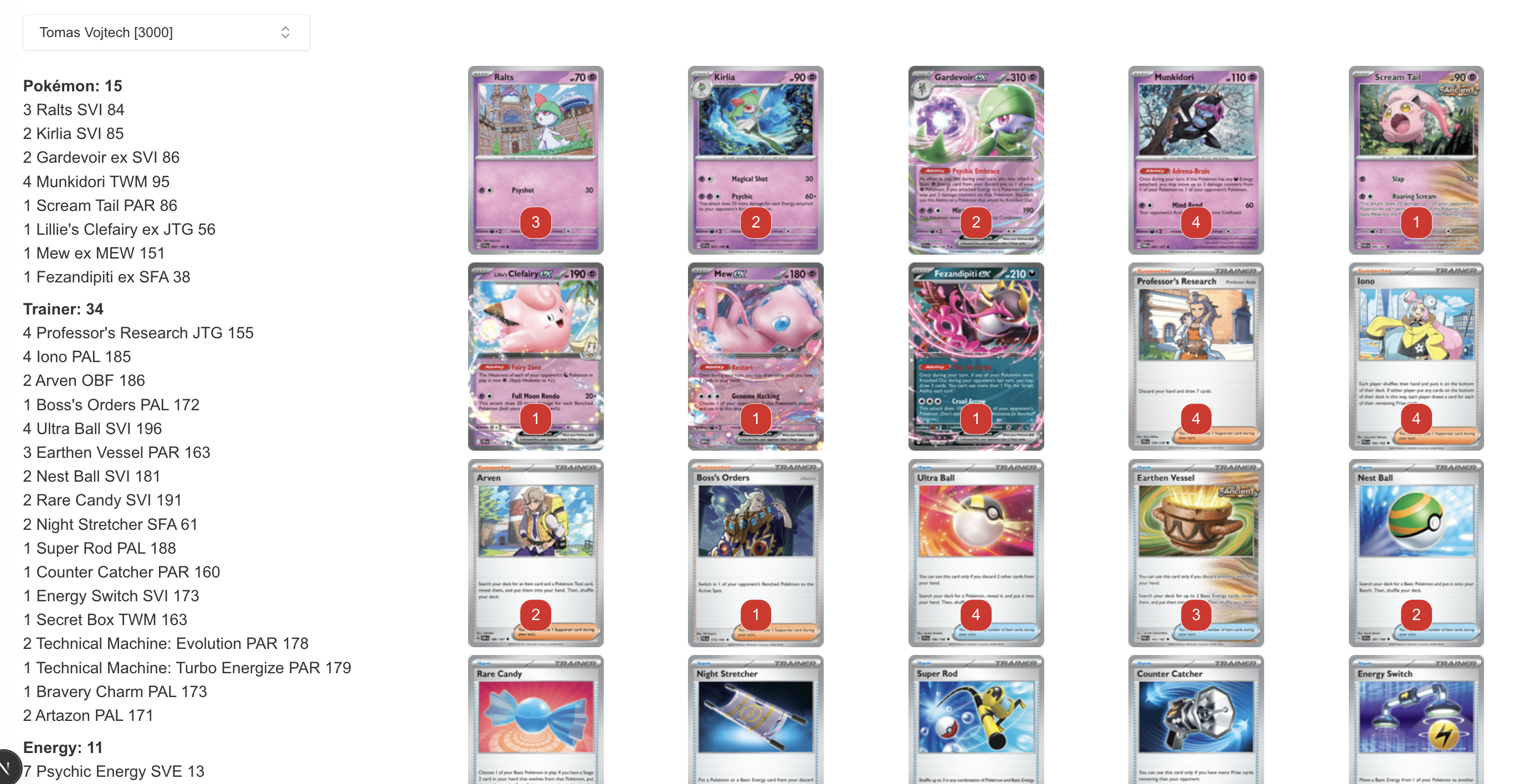
All the rows in the left side and all the card images on the right side are clickable and clicking marks it as checked. It can be useful during deckcheck. Checked cards can be unchecked if needed by click again.
